
How to Use Checklist Templates More Efficiently
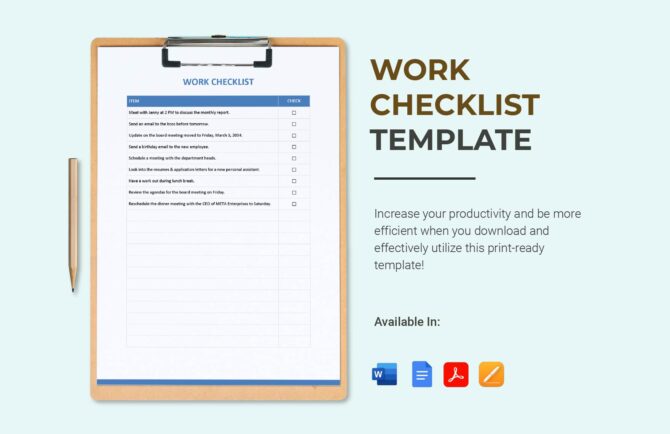
Using a checklist template can streamline your workflow and make daily activities more manageable and organized. Checklists break down tasks into clear, actionable steps, which can significantly enhance productivity both at work and in daily life.
Using Templates to be More Efficient
For many people, using templates is very helpful in completing many tasks. Because without clear direction, sometimes we do not know what our main priorities are. So using templates is highly recommended for those of you who want to be more efficient in your work.
Here are some tips on using this templates effectively:
Customize Your Template for Specific Needs
You can use the template as needed to know what your priorities are:
Tailor Your Lists: Customize your checklist to suit different types of activities—whether for work projects, home routines, or event planning. A specific template for each area (e.g., project planning, grocery shopping, daily cleaning) ensures you’re not using a one-size-fits-all approach, which can lead to missed steps or irrelevant items.
Prioritize Tasks: Arrange items by priority, especially for work-related checklists. This could mean ordering tasks by deadlines or level of importance, helping you focus on what’s most urgent first.
Use Templates with Categories and Subtasks
There are several categories that you can take advantage of:
Categorize for Clarity: Divide your checklist into categories, such as “Emails to Send,” “Meetings to Schedule,” or “Supplies to Restock.” This can reduce overwhelm by organizing your tasks into manageable sections.
Add Subtasks: For complex tasks, add subtasks within your template. This makes large tasks feel more achievable, as you can tackle each subtask one at a time.
Make Use of Deadlines and Reminders
You can find out work deadlines more easily:
Set Clear Deadlines: Assign a due date to each item in your checklist. Knowing when each task needs to be completed can prevent procrastination and give you a clear timeline for your day or project.
Automate Reminders: If your template is digital, leverage its reminder features. Many digital tools can send reminders to ensure that you don’t overlook important tasks.
Integrate Templates with Other Tools
You can use other tools if you want to integrate this template such as:
Sync with Calendars: Many digital checklist apps integrate with calendar tools like Google Calendar or Microsoft Outlook, allowing you to view deadlines and reminders within your overall schedule.
Link to Resources: If a task requires reference materials, such as documents or websites, link them directly in the checklist. This reduces the time spent searching for resources and keeps everything centralized.
Review and Adjust Regularly
You can continue to adjust to your needs such as:
Evaluate Progress Daily or Weekly: Make it a habit to review completed and pending tasks at the end of each day or week. This helps you stay aware of your accomplishments and any areas where you may need to reallocate time.
Adjust Checklists Based on Feedback: If certain tasks are consistently incomplete or new priorities arise, modify your template accordingly. Templates should be adaptable as your goals and responsibilities evolve.
Create a “Done” Section to Track Progress
When you’re done with something, you can click “done” and see how far along you’ve got the job:
Move Completed Tasks to a “Done” Section: Seeing how much you’ve accomplished can be a great motivator. If your template has a “Done” section, you can move completed items there instead of deleting them.
Use a Weekly Archive: Keeping a weekly log of completed checklists provides a helpful record of your productivity. This can also be a useful reference if you need to review past tasks or demonstrate your progress.
Keep It Simple to Avoid Overwhelm
You can use this template for simple things like:
Limit Tasks per Day: Overloading a checklist can make it counterproductive. Limit yourself to a manageable number of items daily to maintain focus and avoid unnecessary stress.
Use Clear, Concise Language: Keep each item simple and actionable. Instead of “Organize project files,” try “Group project files by topic and date.” Clear instructions save time and keep you from overthinking.
Helps Avoid Repeated Mistakes
This template is very useful to avoid repeated mistakes by:
Check Key Points: With a checklist, you have important points that you can check repeatedly. This reduces the risk of forgetting small details, which can often lead to errors or even hinder the success of the task.
Reduces Reliance on Memory: Relying on memory alone can be risky, especially when the task is large and complex. Checklists make it easier to remember the important steps required.
Reduce Stress and Confusion
Using this template can help you get a lot of work done without stress because:
Better Planning: Checklists help you plan each step in a project or daily task. With organized steps, confusion can be avoided and mental stress can be reduced.
Greater Sense of Control: When all tasks are written down and structured, you have a greater sense of control over what needs to be done. It also makes it easier for you to anticipate things that might require more time or additional resources.
Increase Efficiency and Time Saving
The most noticeable thing is that your time is more efficient, so you can use your time to do other activities. This template will help you in:
Minimizing Repetitive Processes: Checklists help in identifying work patterns and repetitive steps. This makes it easier for you to optimize your work methods and eliminate unnecessary steps, thus increasing efficiency.
Saving Preparation and Execution Time: Checklists ensure that all steps are prepared, so you can execute immediately without the need for much re-preparation. With a good checklist template, you don’t have to start from scratch every time.
Checklist template is a powerful tools for improving efficiency in both professional and personal life. By tailoring templates to specific needs, setting reminders, integrating with other tools, and regularly reviewing progress, you can make checklists a valuable asset in managing and achieving your goals. When used effectively, they help prioritize tasks, reduce stress, and make even complex projects feel manageable.